
Planning in Tubes is not a separate schedule that someone types over from the budget. It is the budget, laid out in time.
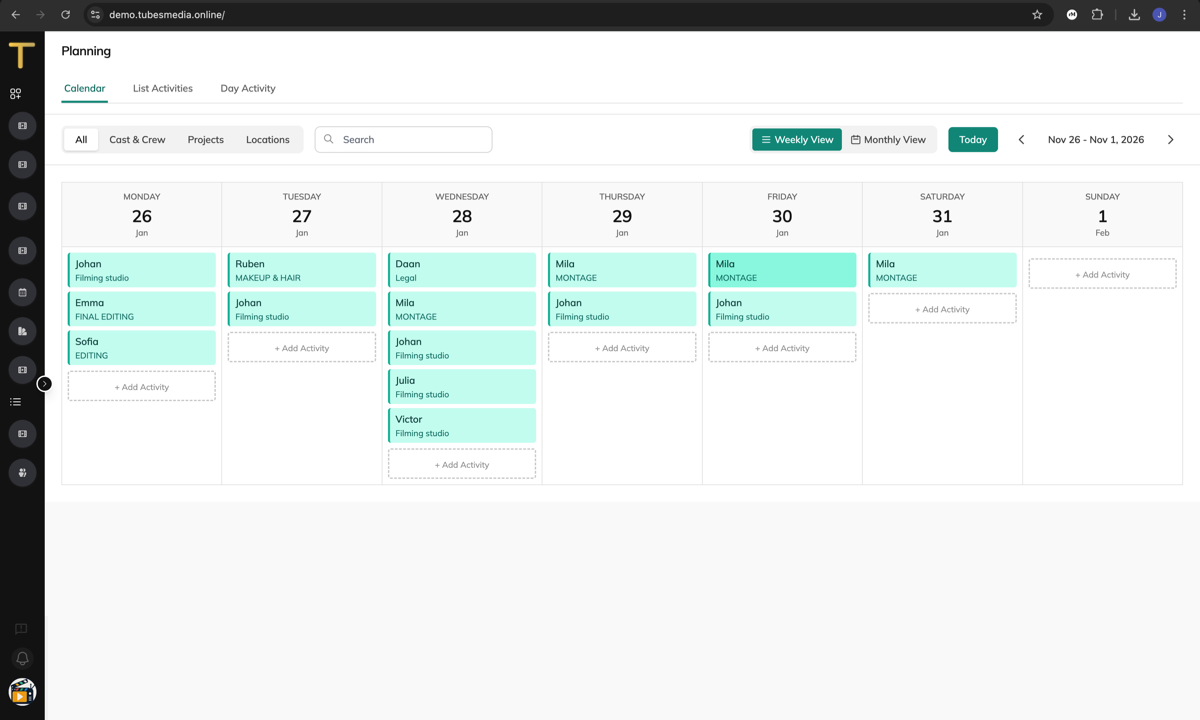
From budget to planning
Every budget header is an activity. When you choose Plan this budget on a budget, its activities become the base planning of the production. In the planning you give them their days, people, items and locations.
- An activity has a window on the timeline: the period in which its days can fall. Budget headers without dates wait in Not on the timeline yet until you set their days, or plan a day straight from them.
- A day is a planned day of work. A day draws from the envelope of every activity it serves; an activity can also spread over several days and call sheets.
- Every person, location or item you plan is a budget line. The strip at the top shows budget and planned for the activity, and moves as you plan. Red means over budget or double booked.
Open the planning
Planning in the sidebar shows all productions at once; choose one to plan against its budget. Within a project, the Production tab has Planning, Day Planning and Scheduler.
The planning screen has tabs for the Calendar, the Activities, a single Activity and the Resources (people, locations, items). In advanced mode there are more lenses: the timeline, a board, crew swimlanes, workload, capacity, costs and the breakdown. See Simple or advanced mode.
What a day costs
Rates come from the budget lines of the activities you tick. After saving a day you see what is left in their envelopes. The Costs tab adds it up: expected is planned days times the rates on the budget lines; spent is what is booked on the cost types of those lines. People and locations carry no rate; the item (a day rate, a studio day) is the bridge between planning and money.
Tip: Name budget headers the way you would plan them ("Shoot week 1", "Edit"). Coarse headers give coarse activities; specific headers give a planning you can send call sheets from.